Part 5 of 24

Help now: when something goes wrong

Use Help now if you are locked out, broken into, or a lock, shutter or alarm has a problem. It tells you what to do while you wait, and YY can call you back.

  1. Step 1. Open Help now. Tap what has happened. We tap Locked out.
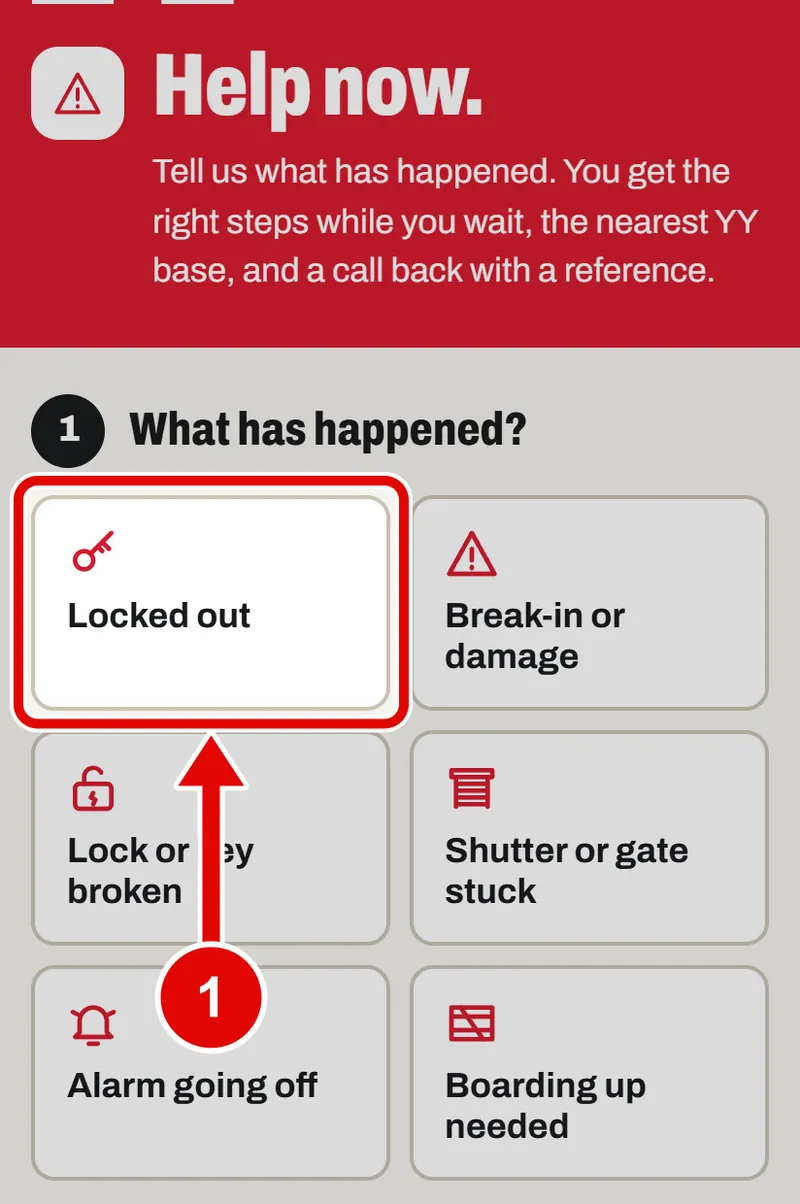
    Screen grab from Help now: when something goes wrong, on a phone. A red box marks the part to use.
  2. Step 2. A list called While you wait appears. It tells you what to do now, step by step.
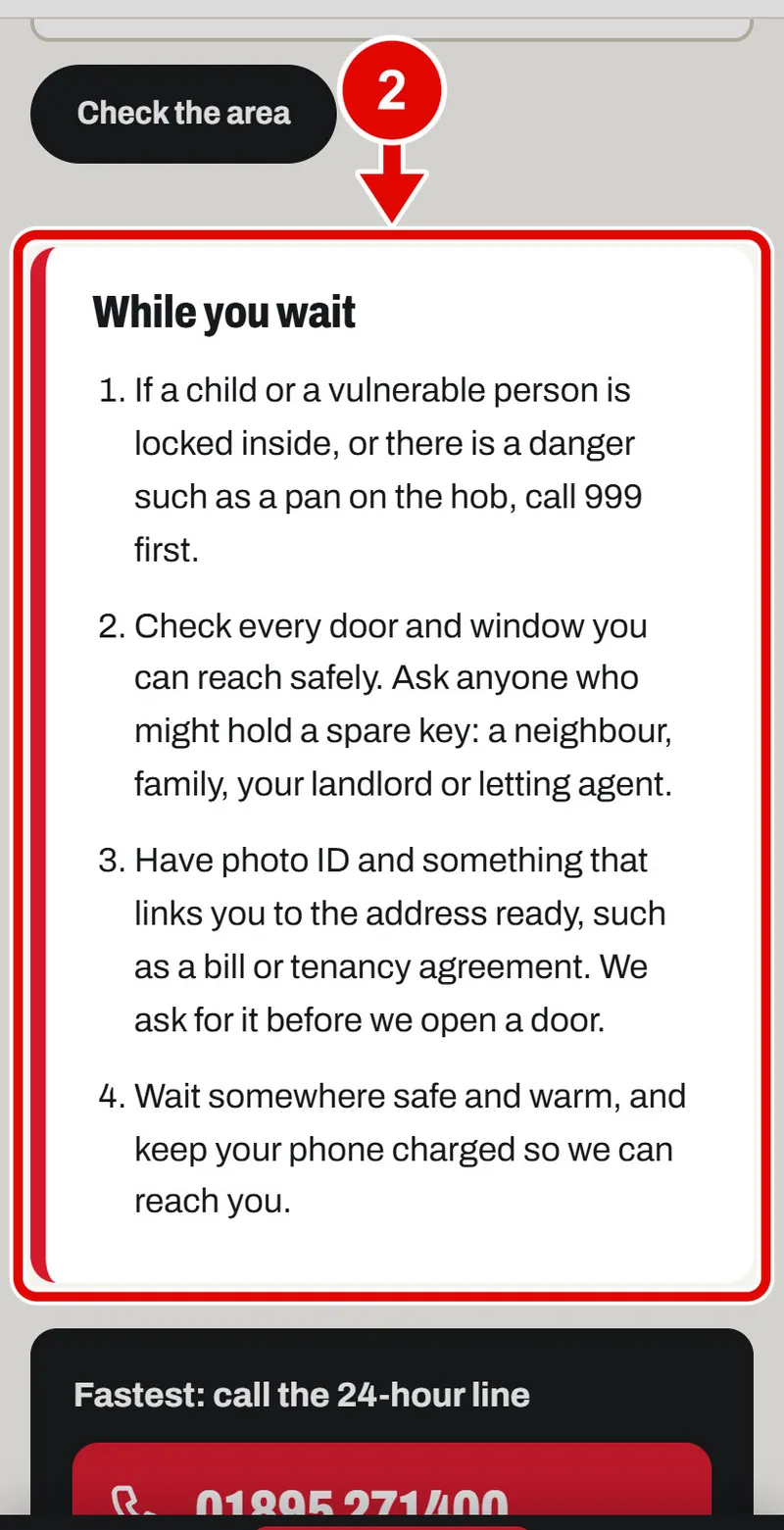
    Screen grab from Help now: when something goes wrong, on a phone. A red box marks the part to use.
  3. Step 3. Each button has its own list. Tap Break-in or damage to see a different one.
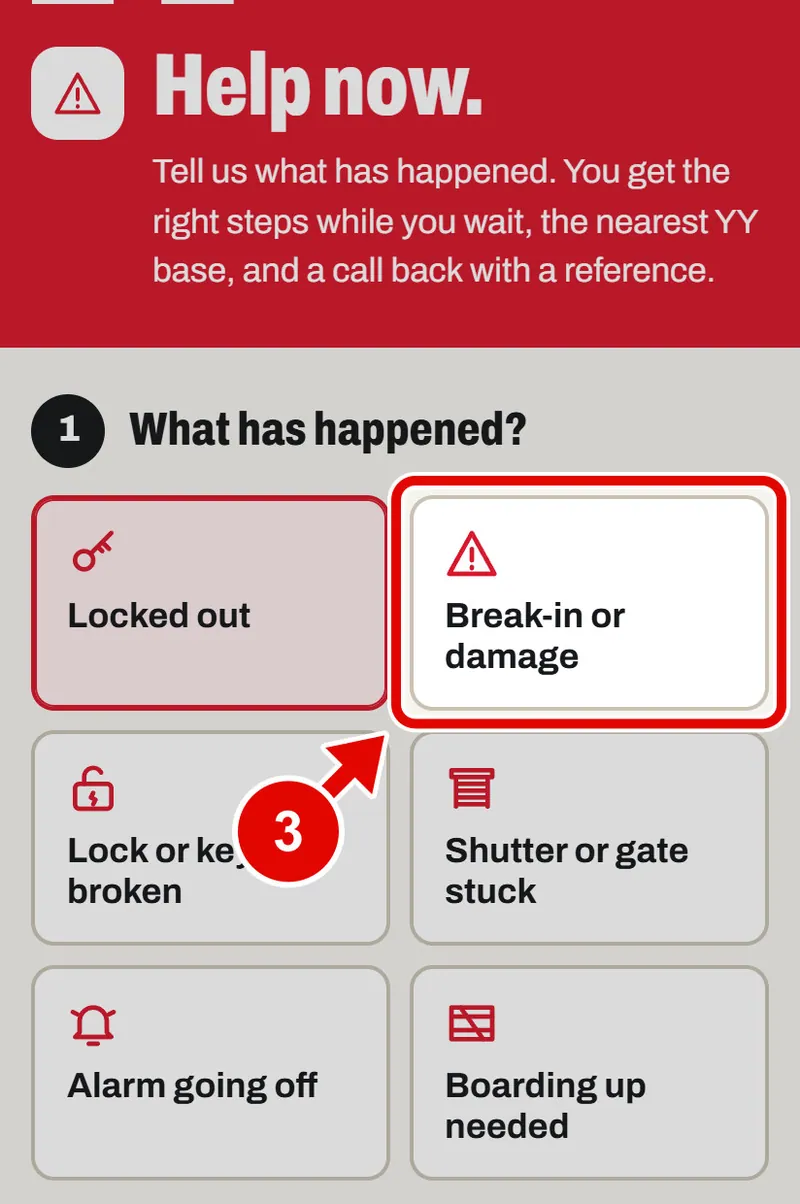
    Screen grab from Help now: when something goes wrong, on a phone. A red box marks the part to use.
  4. Step 4. Now you see the list for a break-in. Tap the button that fits you best.
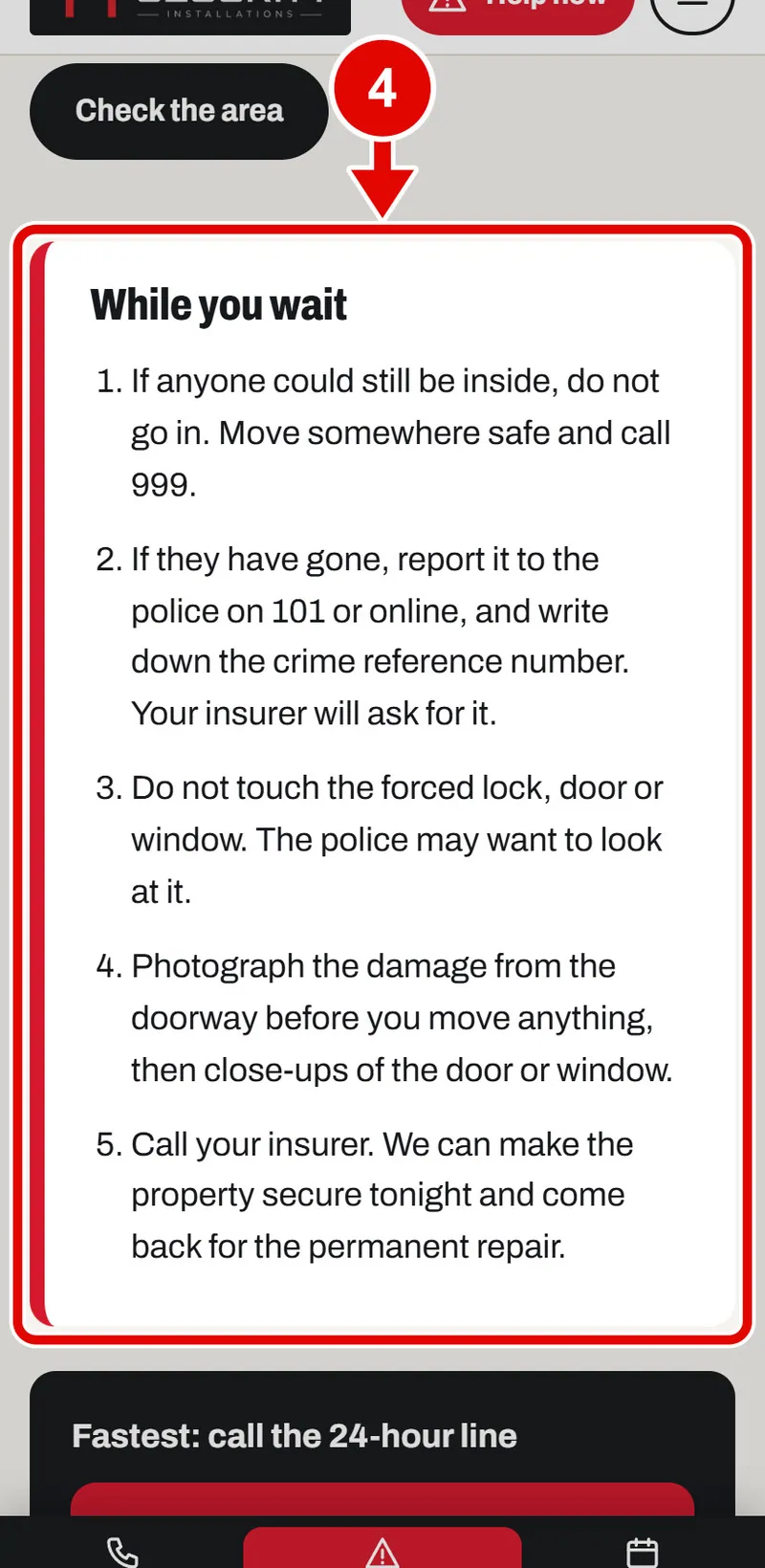
    Screen grab from Help now: when something goes wrong, on a phone. A red box marks the part to use.
  5. Step 5. Tap the Postcode box. Type the postcode where you are.
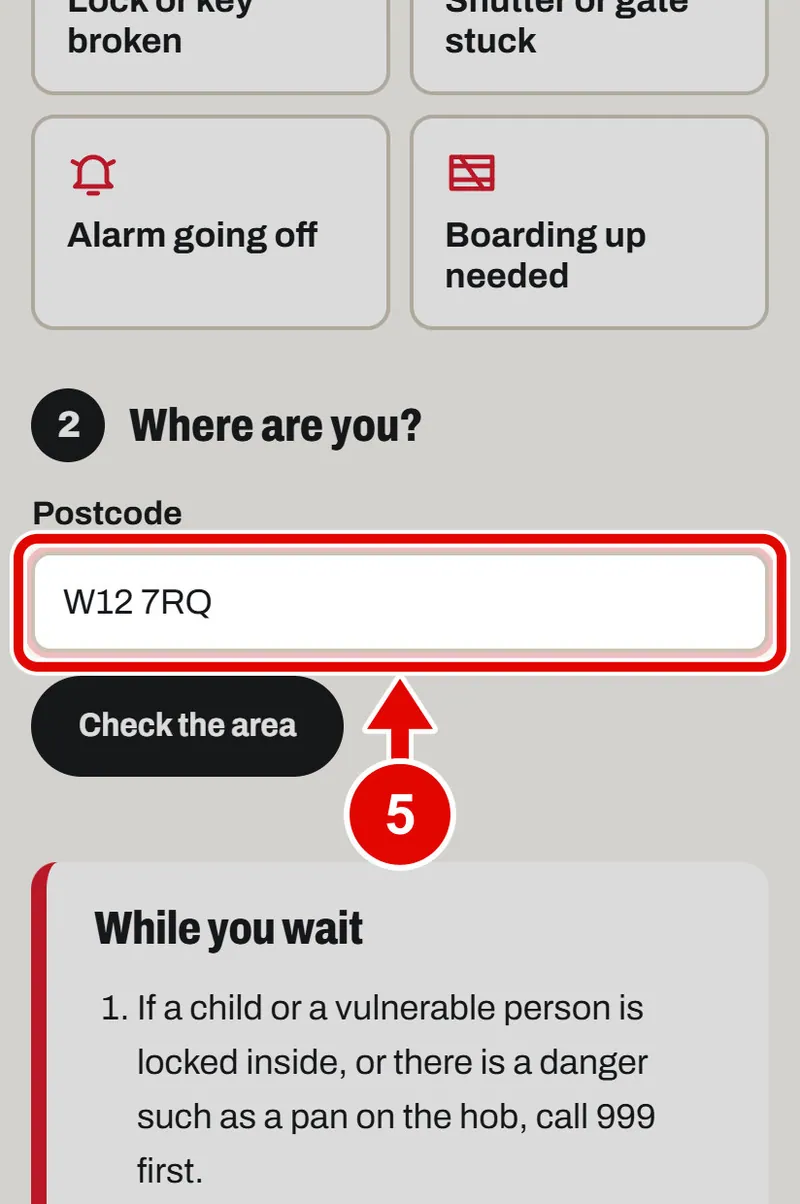
    Screen grab from Help now: when something goes wrong, on a phone. A red box marks the part to use.
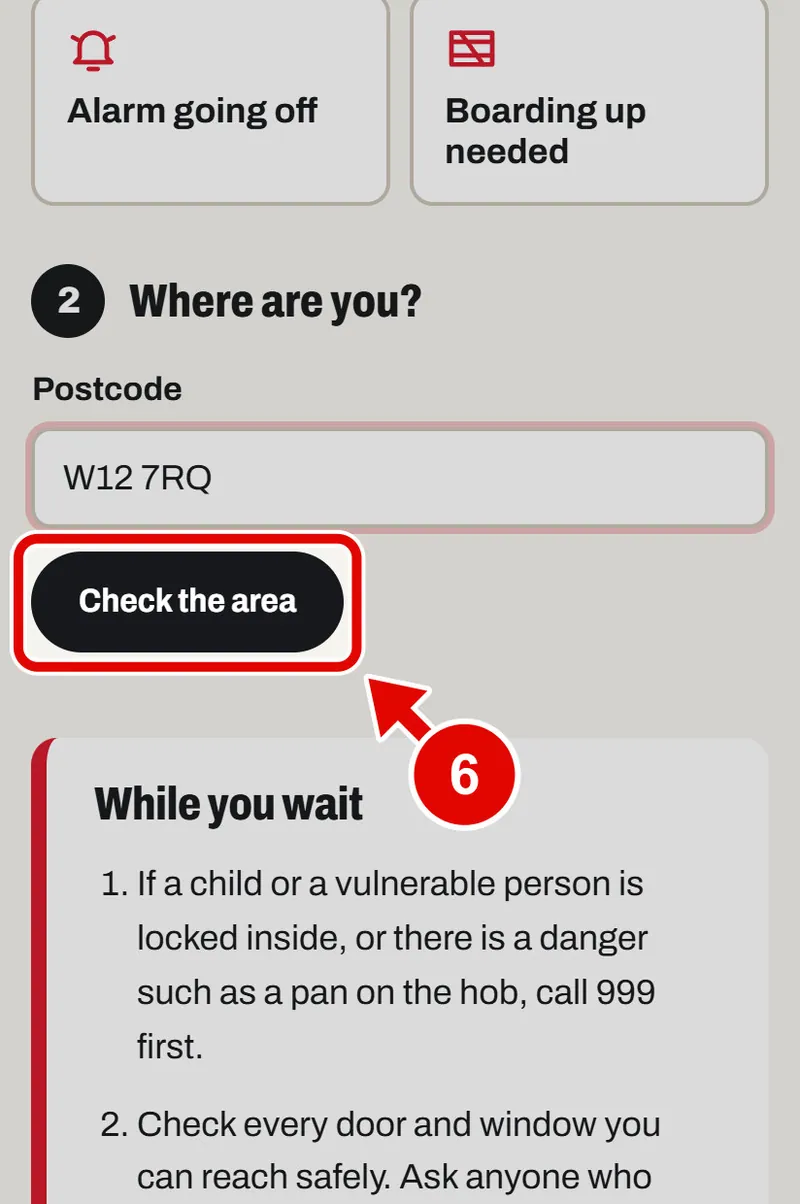
  6. Step 6. Tap Check the area.

    Screen grab from Help now: when something goes wrong, on a phone. A red box marks the part to use.
  7. Step 7. You see the nearest YY base and how far away it is.
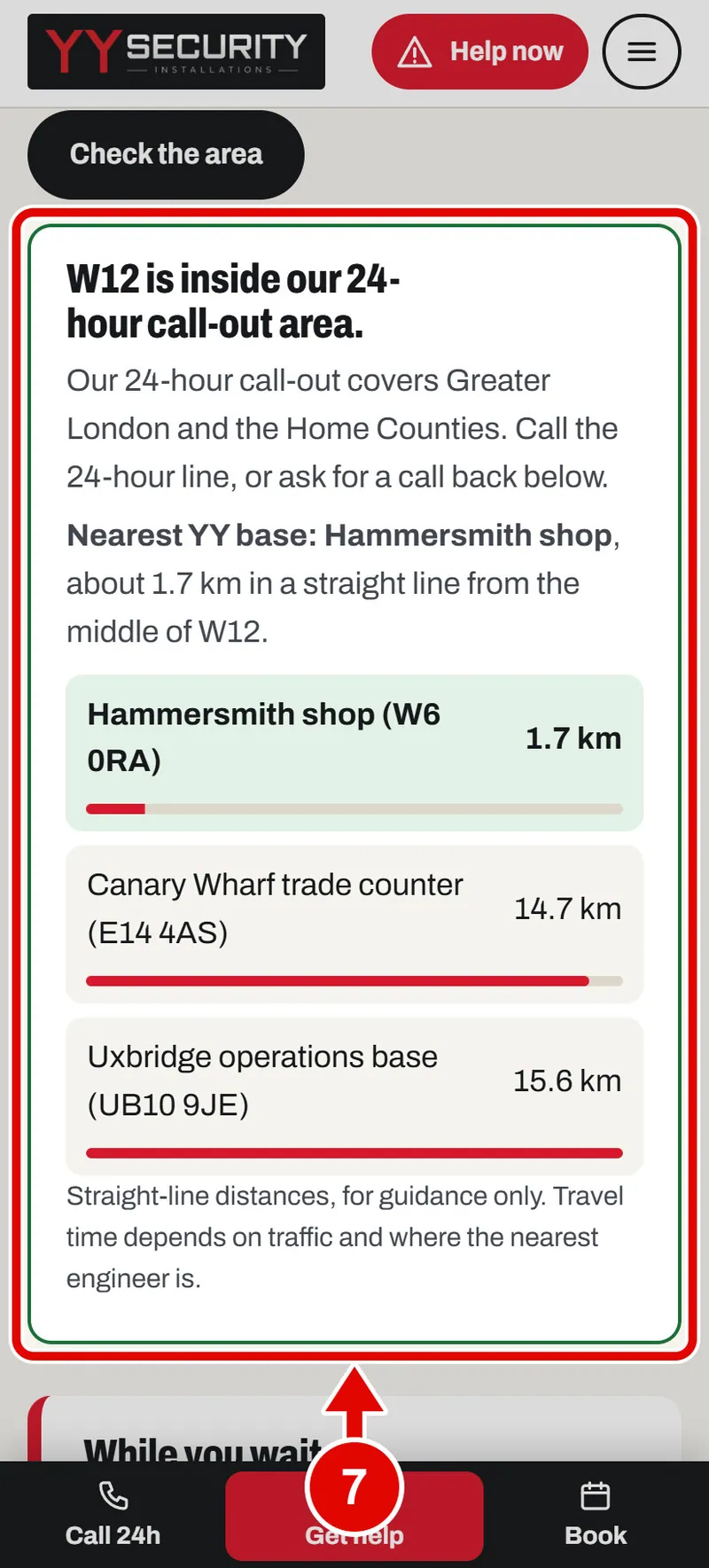
    Screen grab from Help now: when something goes wrong, on a phone. A red box marks the part to use.
  8. Step 8. Fastest of all: tap the big phone number. Your phone rings YY. You speak to a real person, day or night.
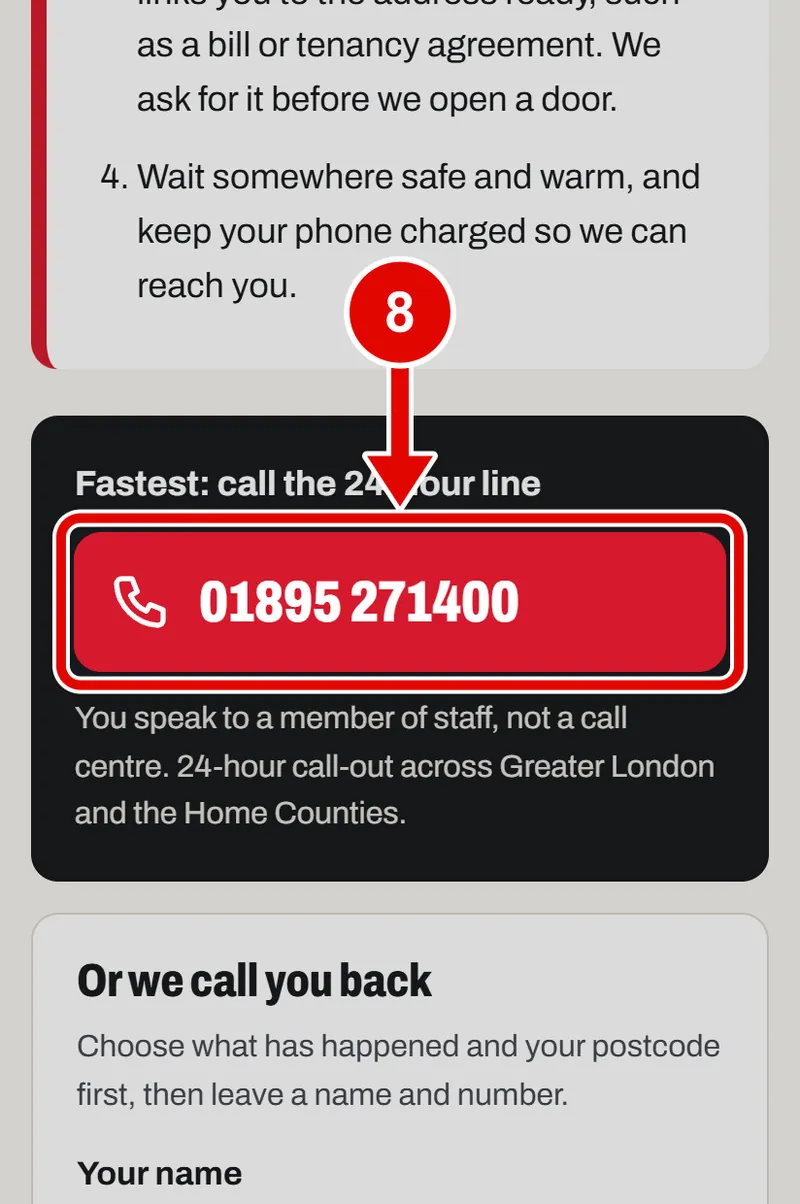
    Screen grab from Help now: when something goes wrong, on a phone. A red box marks the part to use.
  9. Step 9. Or YY can call you. Tap Your name and type your name.
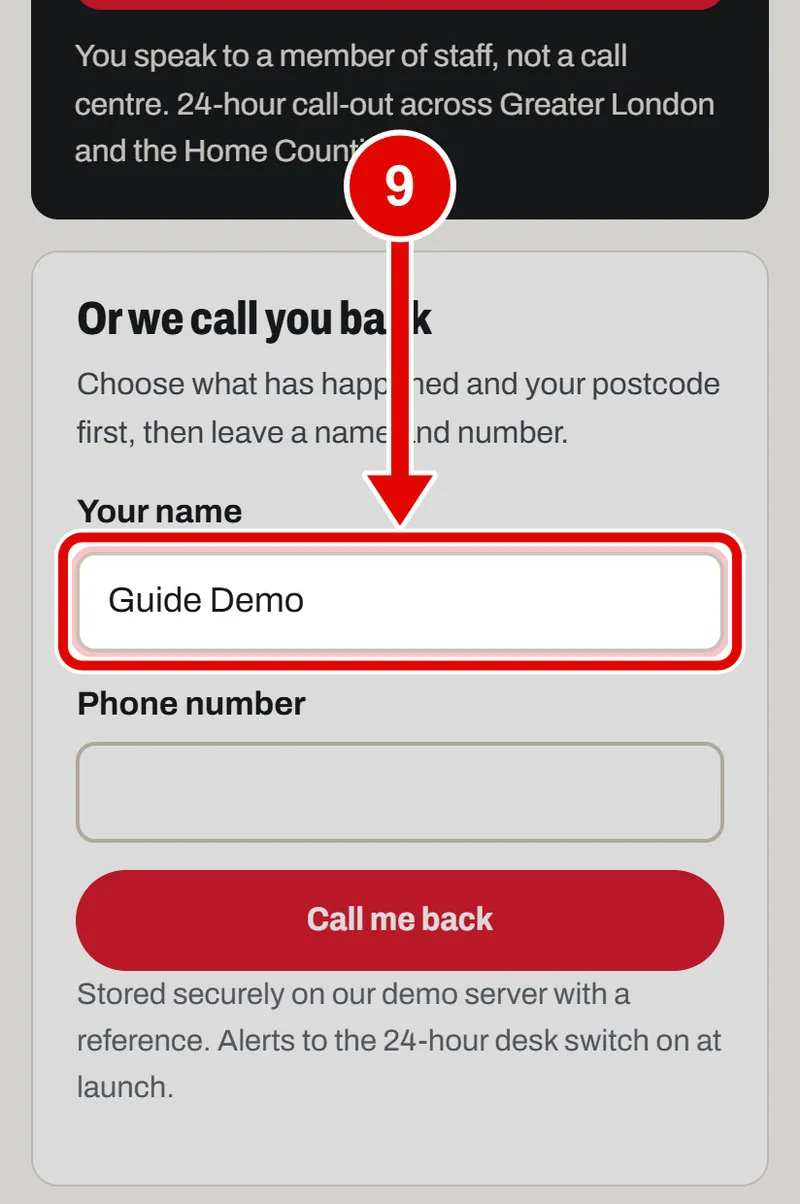
    Screen grab from Help now: when something goes wrong, on a phone. A red box marks the part to use.
  10. Step 10. Tap Phone number and type your number.
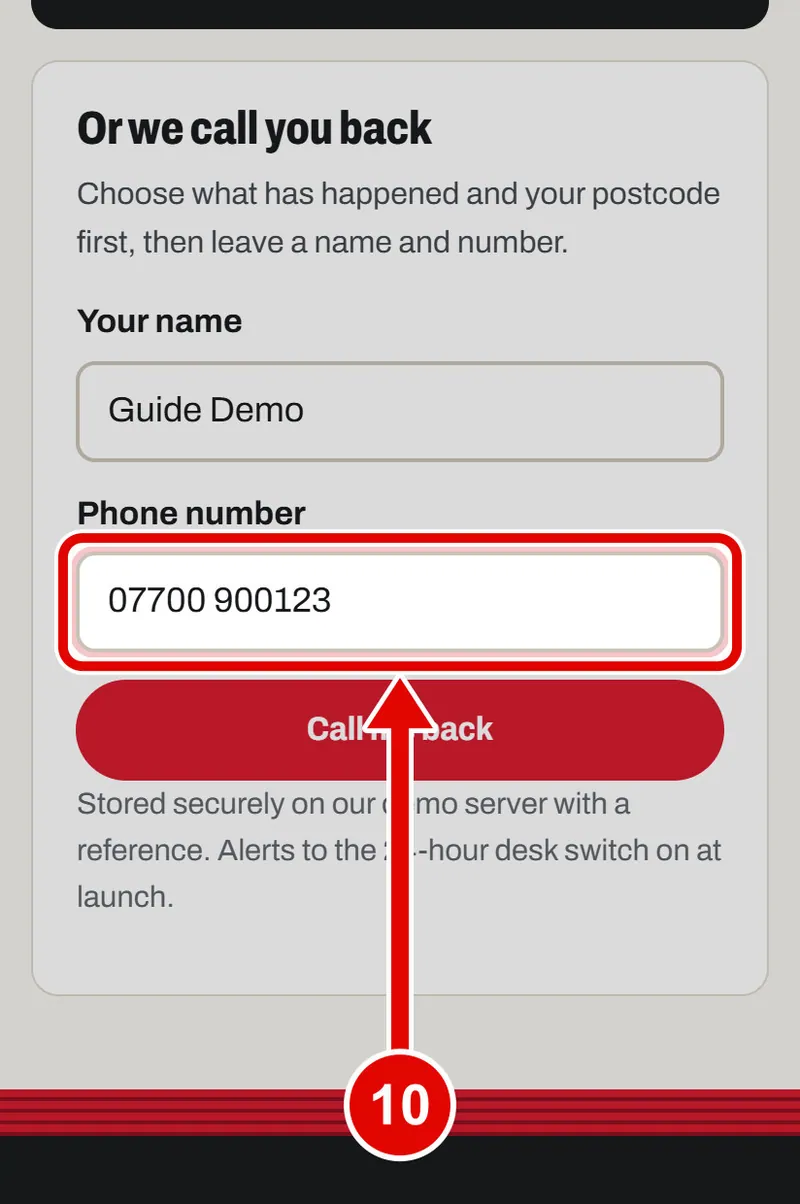
    Screen grab from Help now: when something goes wrong, on a phone. A red box marks the part to use.
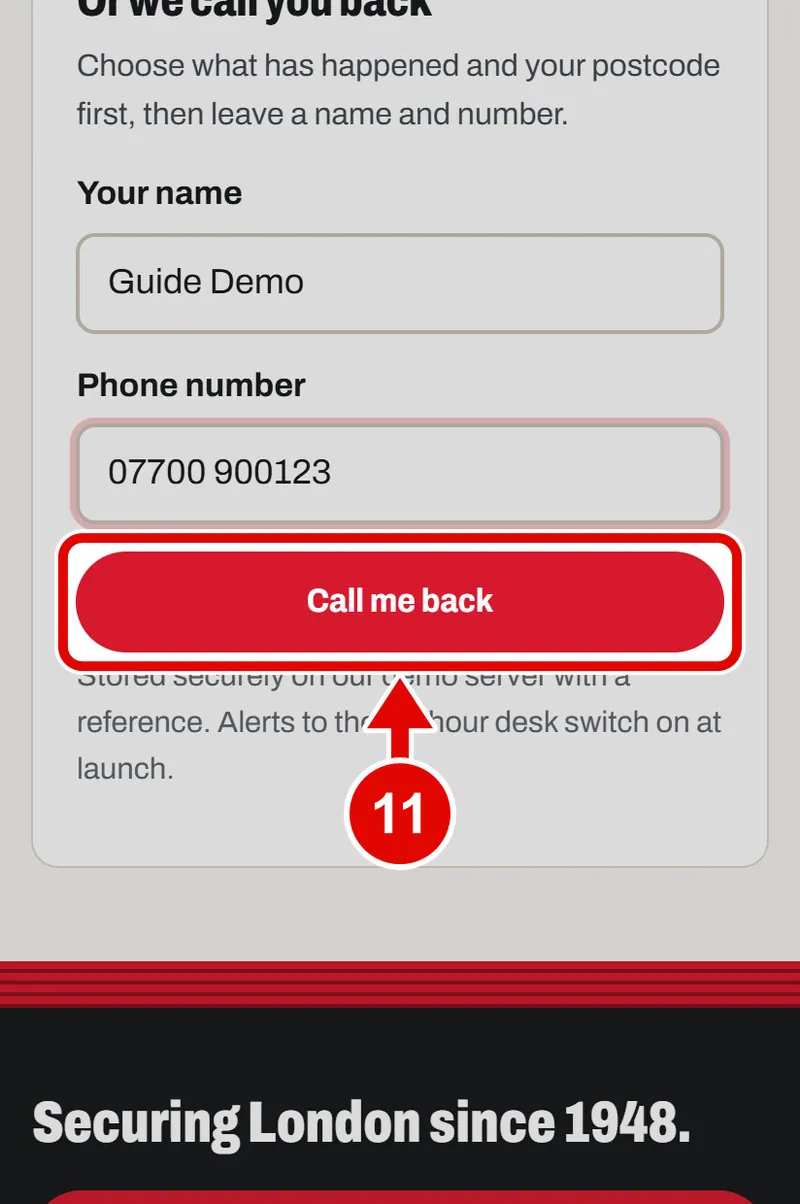
  11. Step 11. Tap Call me back.

    Screen grab from Help now: when something goes wrong, on a phone. A red box marks the part to use.
  12. Step 12. Done. YY has your details. Write down your reference. It starts with YY.
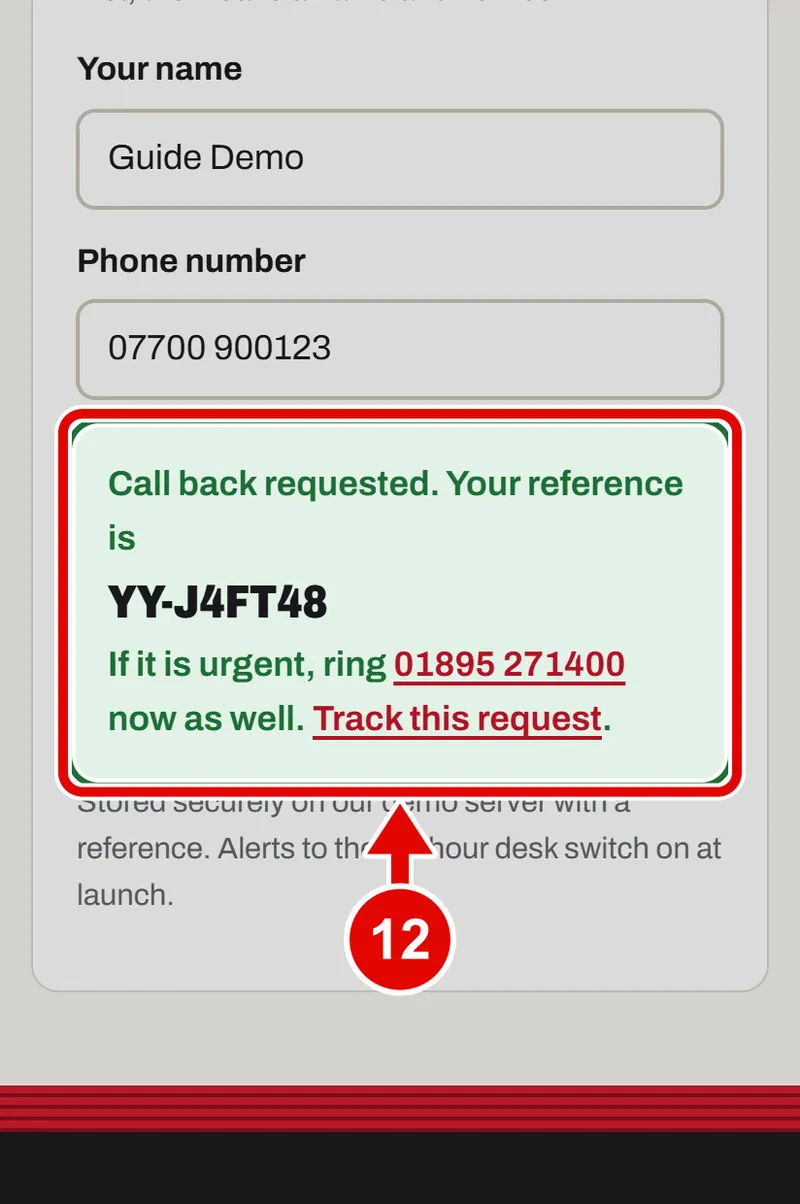
    Screen grab from Help now: when something goes wrong, on a phone. A red box marks the part to use.
Text us